

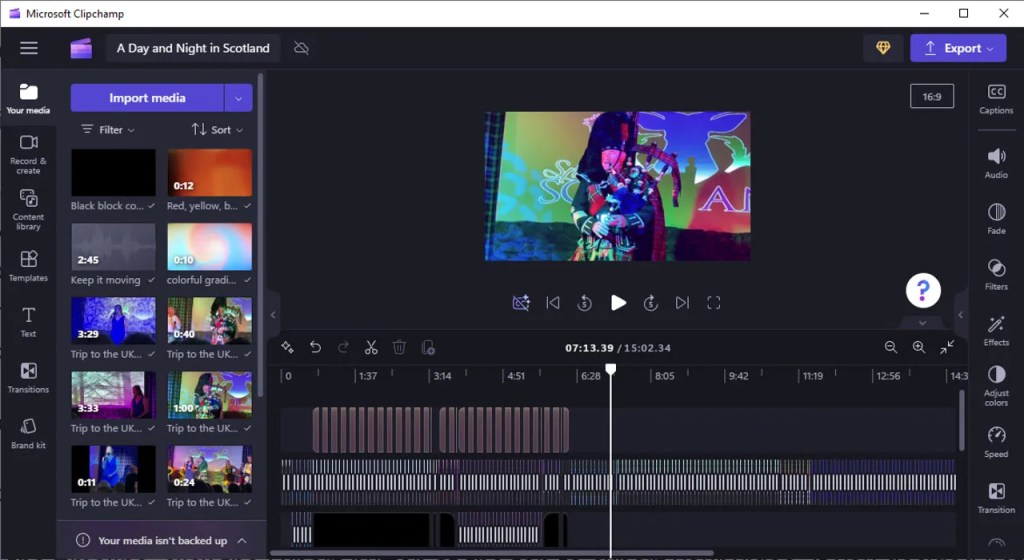
Learn the basics of video editing, using free Microsoft Clipchamp for both PC and Mac computers in a new two-session Video Club class, “Video Editing Made Easy,” on Thursday, May 11 and 18, 2026, from 10 am to noon in the Video Lab, taught by Club President Jonathan Williams.
“Clipchamp runs on Windows computers or in your browser for either PC or Mac,” explains Jonathan, adding, “You”ll learn five key steps to edit and share your video stories.”
To reserve your place in class, email videocluboflagunawoods@gmail.com, providing your name, email, and phone number and mentioning “Clipchamp.” A one-time donation of $15 will cover both classes. The Video Lab is located inside gate 12 between Clubhouse 2 and Pool 2. Open to all Village residents and their guests.
Click below view or download class flyer.
Get started editing video with Clipchamp and you’ll soon be sharing your video memories with family and friends. The five steps to learning Clipchamp are:
STEP 1. Interface, Importing, Organizing Clips.
STEP 2. Cut, Trim, Sequence, Reorder Clips.
Step 3. Add Transitions. Adjust Brightness/Contrast.
Step 4. Add Titles, Sound, Fade Audio.
Step 5. Export Video. Share Project.


Leave a Reply